
5.2 KiB
Use devbox from an AI agent
devbox mcp runs a Model Context Protocol server over stdin/stdout, built into
the devbox client binary. It gives local agents structured access to the same
device, mounts, and hub that the CLI uses. No separate MCP package, Node runtime,
or additional network listener is required.
Connect your device first
Enroll with devbox setup or devbox join, and configure mounts through the
CLI. Start the sync daemon separately with devbox start. The MCP process
inherits the launching user's config directory; XDG_CONFIG_HOME can select a
different one. It does not ask for a join token through a tool.
For a Tailscale hub, connect the client machine's regular Tailscale app. Your
hub runs embedded Tailscale with devbox-hub serve --tailscale; MCP tools use the
private hub URL already stored by devbox join. MCP itself remains local stdio.
Add it to an agent
Use the absolute path to the installed file-sync devbox executable. If you
also have a fleet administration command named devbox, do not point the agent
at that script.
Codex
codex mcp add devbox -- /absolute/path/to/devbox mcp
For a separate devbox configuration:
codex mcp add devbox --env XDG_CONFIG_HOME=/absolute/path/to/config-base -- /absolute/path/to/devbox mcp
Equivalent TOML:
[mcp_servers.devbox]
command = "/absolute/path/to/devbox"
args = ["mcp"]
Clients using mcpServers JSON
{
  "mcpServers": {
    "devbox": {
      "command": "/absolute/path/to/devbox",
      "args": ["mcp"]
    }
  }
}
Use the MCP configuration location supported by your agent. On Windows, select
the absolute path to devbox.exe. Restart or reconnect the agent after adding
the server.
Available tools
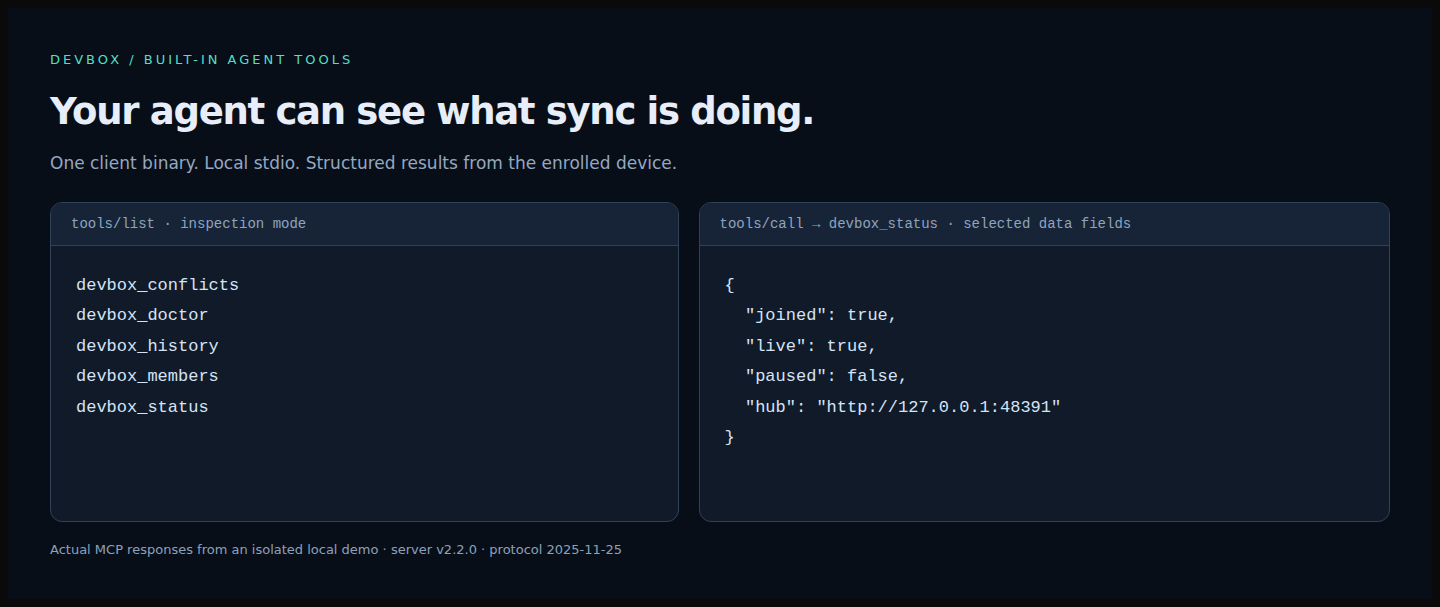
The default server exposes inspection tools only:
| Tool | Purpose |
|---|---|
devbox_status |
Joined state, hub, configured mounts, and live daemon state when available |
devbox_doctor |
Structured configuration, hub, filesystem, and watcher diagnostics |
devbox_conflicts |
List conflict copies without deleting them |
devbox_history |
Bounded snapshot history for a share |
devbox_members |
Membership information for a share |
To allow sync operations, set args to ["mcp", "--allow-writes"]:
| Additional tool | Purpose |
|---|---|
devbox_pause |
Pause the running sync daemon |
devbox_resume |
Resume the running sync daemon |
devbox_publish |
Create a share from a local directory and push its files |
devbox_mount |
Mount a share or subdirectory, optionally read-only |
To also allow restore, deployment, and unmounting, use
["mcp", "--allow-writes", "--allow-destructive"]:
| Additional tool | Purpose |
|---|---|
devbox_restore |
Restore a snapshot or selected path |
devbox_deploy |
Apply a snapshot and pin the local mount |
devbox_unmount |
Remove a mount from configuration |
devbox_mount may merge local files, push changes, replace its mount config,
and clear a deployment pin. It is available with --allow-writes and advertises
destructiveHint: true; set read_only: true for a pull-only mount. Publish and
mount require an absolute local_dir; shell expansions such as ~ are not
performed. Snapshot IDs must be the full lowercase 64-character value from
history.
Unavailable tools are omitted from discovery. --allow-destructive requires
--allow-writes. Tool descriptions and schemas specify the exact parameters.
Use tool discovery rather than guessing arguments.
Results and failures
Tools return structured results with the underlying command's output. A failed operation is marked as an MCP tool error, including failed doctor checks; an agent should inspect the diagnostic result before taking another action.
The command timeout defaults to 2m and includes time waiting for another tool
call in this server. Set a positive --command-timeout, for example
["mcp", "--command-timeout", "5m"], for large transfers. Captured stdout is
limited to 1 MiB and stderr to 64 KiB; truncated reports clipping. Results have
stdout, stderr, exit_code, truncated, optional parsed data, and optional
error fields. History accepts limit from 1 to 100 (default 20).
Calls are serialized within one MCP server. Coordinate mount/config changes across multiple agents or CLI processes. Cancellation stops the child command. An interrupted write may have completed some work already; inspect status and history before retrying. Existing lifecycle hooks and conflict-preservation behavior apply exactly as they do through the CLI.
MCP stdout contains protocol traffic only. Logs and startup errors go to stderr. The server does not expose the stored bearer token, device private key, arbitrary shell commands, or conflict-copy deletion as tools.
Useful agent requests
- “Check whether this device is joined and whether its sync daemon is running.”
- “List conflicts and the latest snapshots for this share; don't change files.”
- “Diagnose why this mount isn't syncing and explain the failing checks.”
- With writes enabled: “Pause sync while I change dependencies, then resume it.”
See the implementation plan for the scope and acceptance checks.